How to run an internal link audit
By BeeRanked · September 8, 2026 · Updated September 12, 2026
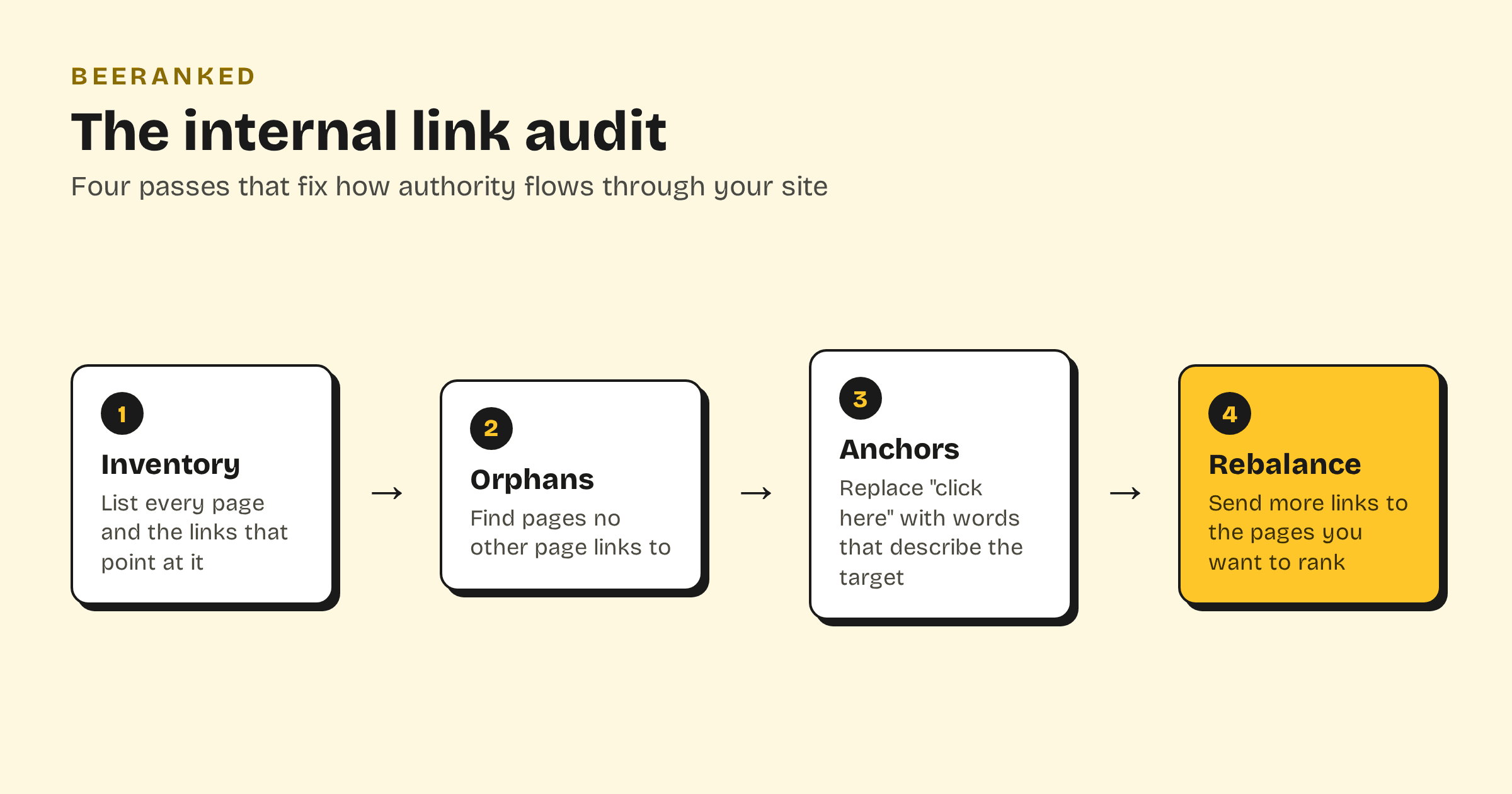
An internal link audit is a structured check of how the pages on your site link to each other. It answers three questions: can Google reach every page you care about, do your link texts say what the target page is about, and are your most important pages getting the largest share of links? If you have never done one, this is the highest-leverage afternoon in internal linking.
Why audit at all
Google is blunt about how much links matter: "Every page you care about should have a link from at least one other page on your site". Links are how crawlers discover pages and how link equity flows to them. Sites drift, though. You publish, you rename, you reorganize, and a year later your best guide has two inbound links while a forgotten announcement has twelve. An audit resets that balance.
Pass 1: inventory every page and its inbound links
Start with a full list of your pages. Your XML sitemap is the fastest source, because it already lists everything you consider worth indexing. For each page, count the internal links pointing at it. A crawling tool can do this for a big site; for a site under a few hundred pages, a spreadsheet and an hour of clicking is enough.
You are building one table: URL, inbound internal links, and what the page is for. That table drives everything else.
Pass 2: find the orphans
Sort the table by inbound links, ascending. Anything at zero is an orphan page: Google can only find it through your sitemap, and it receives no equity from the rest of your site. Orphans are usually accidents, a page that was linked from something you later deleted or rewrote.
For each orphan, either link to it from the most closely related page you have, or ask the harder question: if nothing on your site wants to link here, does the page still deserve to exist? That question belongs to content pruning, and it is fine to defer it. Just do not leave the page stranded.
Pass 3: fix the anchor text
Now read the links themselves. Google asks for anchor text that is "descriptive and concise" and specifically warns against generic phrases, because the anchor "tells people and Google something about the page you're linking to."
Hunt for these patterns:
"Click here" and "read more". They tell Google nothing. Rewrite them around the target's topic: "our guide to anchor text" beats "read it here".
The bare URL as its own anchor. Same problem in a different costume.
The same anchor pointing at different pages. If "pricing guide" links to three different URLs across your site, decide which page owns that phrase.
Exact keywords in every anchor are not required. A reader (and a crawler) needs to know what is behind the link before they follow it.
Pass 4: rebalance toward the pages you want to rank
This pass is the one that moves rankings. Look at your table again and ask: do my most-linked pages match my priorities? If the page you most want to rank sits near the bottom of the inbound count, add links to it from your most visited and most linked pages, using anchors that describe its topic. A pillar page with a dozen good inbound links from its own cluster is how topical authority gets built.
Three rules of thumb for the rebalance:
Every new post should link to at least two or three older, related pages, and receive a link back from at least one of them.
Your highest-traffic pages are your strongest distributors. Spend their links deliberately.
Do not stuff. A handful of relevant links in real sentences outperforms a footer full of forced ones.
How often to repeat it
Quarterly is enough for most sites, plus a mini-audit every time you publish: link the new page from two or three related ones on day one, so it never starts life as an orphan.
Internal link audits in BeeRanked
BeeRanked maintains the audit's raw material continuously. The Internal Links view draws your whole site as a graph, so orphans are visible at a glance instead of hiding in a spreadsheet. When a URL changes, every inbound internal link is rewritten automatically and the old address gets a redirect, so the audit you did last quarter does not rot when you rename a page. And every article gets a "Continue reading" block of related pages from its own category, which means a baseline of cluster links exists even before you add the hand-picked ones.