Site architecture for SEO
By BeeRanked · September 15, 2026
Site architecture is how your pages are grouped, named, and connected: which sections exist, what the URLs look like, and how many clicks it takes to get from the homepage to anything else. It is the layer of SEO you set up once and then benefit from on every page you ever publish, and it is much cheaper to get right early than to fix later.
Why structure matters to Google
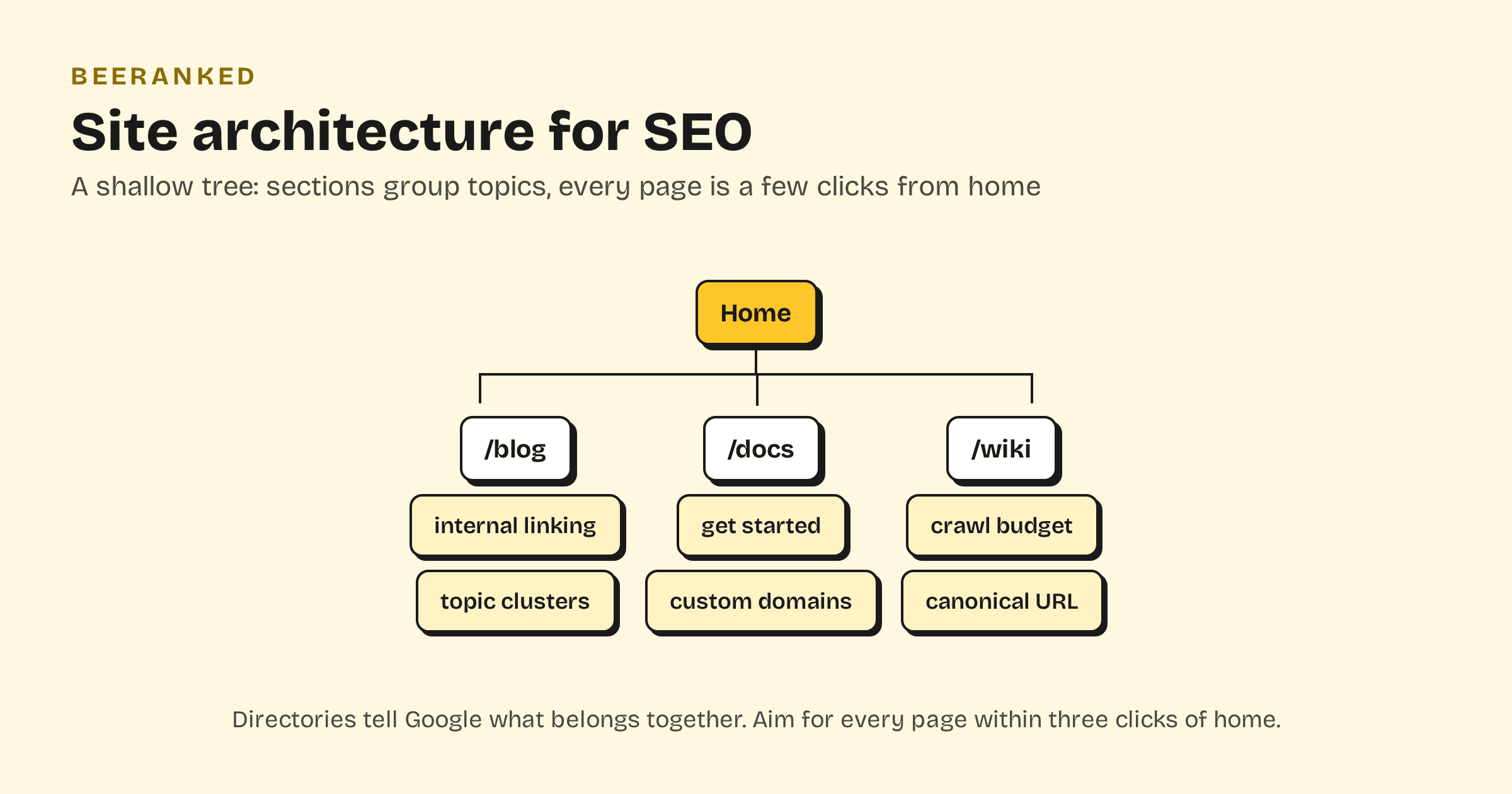
Two mechanical facts drive everything in this post. First, discovery: Google says it "primarily finds pages through links from other pages it already crawled", so your structure decides what gets found and how fast. Second, grouping: per the same guide, "using directories (or folders) to group similar topics can help Google learn how often the URLs in individual directories change". A tidy /blog/, /docs/, /wiki/ layout teaches crawlers what belongs together and where to spend their visits, which is what crawl budget is about.
Keep the tree shallow
A useful heuristic: every page you care about should be reachable within about three clicks of the homepage. It is not an official Google rule, and nothing penalizes a fourth click. The mechanism is that each level of depth means fewer internal links and less link equity reaching the page. Homepage links to sections, sections list their pages, pages cross-link within their topic. When a section grows past what one listing can hold, split it by topic with categories instead of adding depth.
Sections are topics
The strongest architectures mirror how your audience thinks about the subject. Group content into a small number of sections with a clear job each: guides in one place, reference definitions in another, product documentation in a third. Inside a section, topic clusters do the fine-grained organization: one pillar page per topic, cluster articles linked both ways.
Where that content lives matters too. Keeping your content on the same domain as your product, in a subfolder instead of a separate subdomain, keeps all of it working for one site. We covered the tradeoff in subdomain or subfolder for your blog.
URLs readers can read
Google's starter guide recommends URLs made of words: "try to include words in the URL that may be useful for users". In practice: lowercase, hyphens, the page's topic, no dates or ID numbers. Pick a pattern per section, like /blog/topic-name, and hold it.
The trap is changing URLs later without a plan. Every restructure must ship with 301 redirects from every old address to its new one, or you lose the links and rankings the old URLs earned. We wrote up how BeeRanked handles that automatically in keep your rankings when URLs change.
Breadcrumbs close the loop
A breadcrumb trail shows readers where a page sits in the tree, and Google reads the markup the same way: "Google Search uses breadcrumb markup in the body of a web page to categorize the information from the page". Breadcrumbs also add one more structural internal link from every deep page back to its section, which reinforces the whole hierarchy.
A checklist you can apply this week
Every page reachable in about three clicks from home
A small set of sections, each with one clear job
One URL pattern per section, words not IDs
Category pages inside big sections instead of deeper nesting
Breadcrumbs on every content page, with BreadcrumbList markup
A redirect for every URL you have ever changed
An XML sitemap listing the whole tree
Architecture in BeeRanked
BeeRanked ships this structure as the default. Content types give you the sections (blog, wiki, docs, plus any custom section you define), categories organize inside them, and every page gets breadcrumbs with BreadcrumbList markup automatically. URLs follow a consistent pattern you control per brand, the sitemap regenerates itself on every publish, and if you ever rename or move a page, the redirect and the updated internal links are created for you. The checklist above holds on day one.