Best CMS for SEO in 2026
By BeeRanked · November 5, 2026
"Best CMS for SEO" is a question about defaults. Every platform in the table can be made to rank; the difference is how much of the technical work is done before anyone installs, pays or writes code. So the comparison scores one thing: what each vendor documents as built in, for the six jobs that decide whether a page can be crawled, understood and kept when it moves. Every cell comes from the platform's own help centre or developer docs, read in September 2026, and the quotes are in the notes under the table.
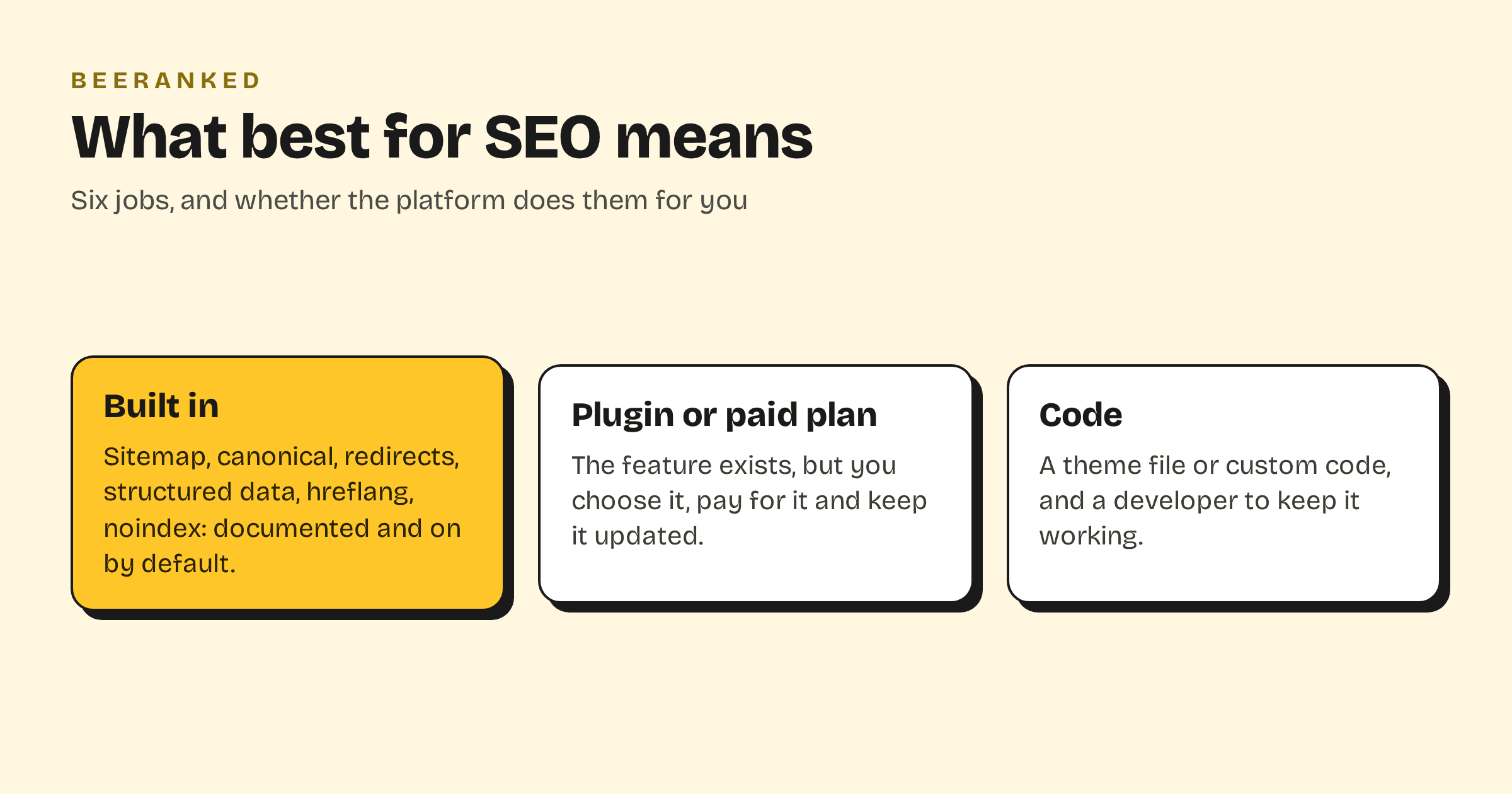
The six jobs
An XML sitemap that updates itself, with a way to leave pages out.
A canonical tag on every page, editable when two URLs show the same thing.
301 redirects you can create yourself, and that appear on their own when a URL changes.
Structured data emitted for you, and editable without code.
hreflang for sites in more than one language.
A per-page noindex and an editable robots.txt.
The table
| Platform | Sitemap | Canonical | 301 redirects | Structured data | hreflang | noindex, robots.txt |
|---|---|---|---|---|---|---|
| WordPress | Auto; exclusions by code or plugin | Auto; per page by plugin | Plugin (Yoast Premium or Rank Math) | Plugin | Plugin | Site-wide only; per page by plugin |
| Webflow | Auto; per-page toggle | Global and per page | Paid Site plan | Manual per page, paid plan | Localize add-on | Per page; robots editor |
| Ghost | Auto | Auto; per post | redirects.yaml upload | Auto, types not listed | Not built in | No per-page noindex found; robots.txt via theme |
| Wix | Auto | Auto; per page | Manager; custom domain needed; auto on slug change | Presets for Stores, Bookings, Blog, Events; manual per page | Auto | Per page; robots editor |
| Squarespace | Auto; not editable | Auto for tag and category pages | URL mappings | Auto for six types; not editable | Weglot only, version 7.1 | Per page; robots.txt not editable |
| Shopify | Auto | Auto | Manager; 100,000 cap, more on Plus | Products, in themes | Auto, all plans except Lite | Theme code for both |
| HubSpot | Auto; UI exclusion | Per page field | Professional plans, or Content Hub Starter and up | Not documented | Multi-language pages; hreflang not documented | Per page; robots editor |
| Framer | Auto | Auto; site-level override | Built in | Custom code | Auto with Localization | Per page toggle; robots.txt via static files |
| BeeRanked | Auto | Auto; per page | Manager; auto on every URL change | Article, breadcrumbs, organisation, images, video; form editor for more | Auto for translations | Drafts stay out; no per-page noindex; robots.txt generated |
Notes on each row
WordPress. Core covers two of the six by itself: a sitemap at /wp-sitemap.xml and "rel=canonical for singular queries". For the rest it says so itself: "WordPress currently does not support a bilingual or multilingual blog out-of-the-box", and a search of developer.wordpress.org for "structured data" returns nothing. Yoast's redirect manager sits under "Premium highlights"; Rank Math's free plugin page lists a "Smart Redirection manager" and "20+ Pre-defined Schema types". The result is a site that can do everything, once you have chosen, installed and kept two or three plugins.
Webflow. The auto-generated sitemap "updates it each time you publish your site", canonicals can be set globally or per page, and a per-page toggle adds noindex. The paid Site plan is the line: "To add 301 redirects, your site needs a paid Site plan", and schema markup, added per page by hand or with Webflow AI, needs it too. hreflang comes with the Localize add-on.
Ghost. "Ghost automatically creates and updates an XML sitemap", "adds canonical tags across your site" with a per-post override, and "automatically includes structured data in all posts and pages", though the help centre does not say which types. Redirects are a YAML file you download, edit and upload. The help centre has no multilingual support article, and on Ghost(Pro) a custom robots.txt means a custom theme, "a subscription to the Creator plan or higher".
Wix. Wix automates more than any other platform here: sitemap, default canonical, hreflang "by default", preset markups for Stores, Bookings, Blog and Events, and "a 301 redirect for your page when you update the URL slug". The redirect manager has one condition: "301 redirects only work with custom domains."
Squarespace. Squarespace automates nearly as much and lets you change the least. The sitemap: "You can't edit the sitemap or a page's source code." Structured data covers six types and cannot be changed. Redirects live in URL mappings with a 400 KB limit, hreflang needs the Weglot integration, and "All Squarespace sites use the same robots.txt file and Squarespace users can't access or edit the file."
Shopify. Built for stores: sitemap, canonical and hreflang are automatic, redirects scale to 100,000, and "The themes automatically include schema markup for products". Hiding a page from search or changing robots.txt means editing theme code.
HubSpot. The sitemap can be edited in the UI on every plan and canonicals are a per-page field, but redirects are gated to "Marketing Hub Professional, Enterprise Service Hub Professional, Enterprise Content Hub Starter, Professional, Enterprise". We found no knowledge base article on structured data, and the multi-language pages article does not mention hreflang.
Framer. Sitemap, canonical and hreflang (with Localization) are automatic, redirects and a per-page noindex are built in, and robots.txt is an uploaded static file. Structured data is Custom Code only: "On Framer sites, you can add structured data using the Custom Code".
BeeRanked. The section this site runs on. Sitemap, canonical with a per-page override, breadcrumbs, structured data for articles, the organisation, images and video with a form editor for more, hreflang for every translation, and a redirect manager that writes the 301 itself whenever a URL changes. Two gaps: there is no per-page noindex (a page is published or it is a draft), and robots.txt is generated, with no editor.
How to read it
If the site already exists on one of these platforms, the table says what a blog on it inherits and what it will cost in plugins, plan upgrades or code. If the blog is the part you are adding, it does not have to inherit anything: BeeRanked mounts a content section onto the site you have, under a path or a subdomain, and brings its own row of the table with it. How to add a blog to the website you already have is the guide for that, and Schema markup that still earns rich results covers what the structured data column buys you.